A collection of interface studies across wellness, learning, operations and creative work. Each pairs a practical design question with its own visual direction.
05 concept projectsInterface design & art directionFictional demonstration content
01 / WELLNESS / RESOURCE DISCOVERY
Ease
A little room to move.
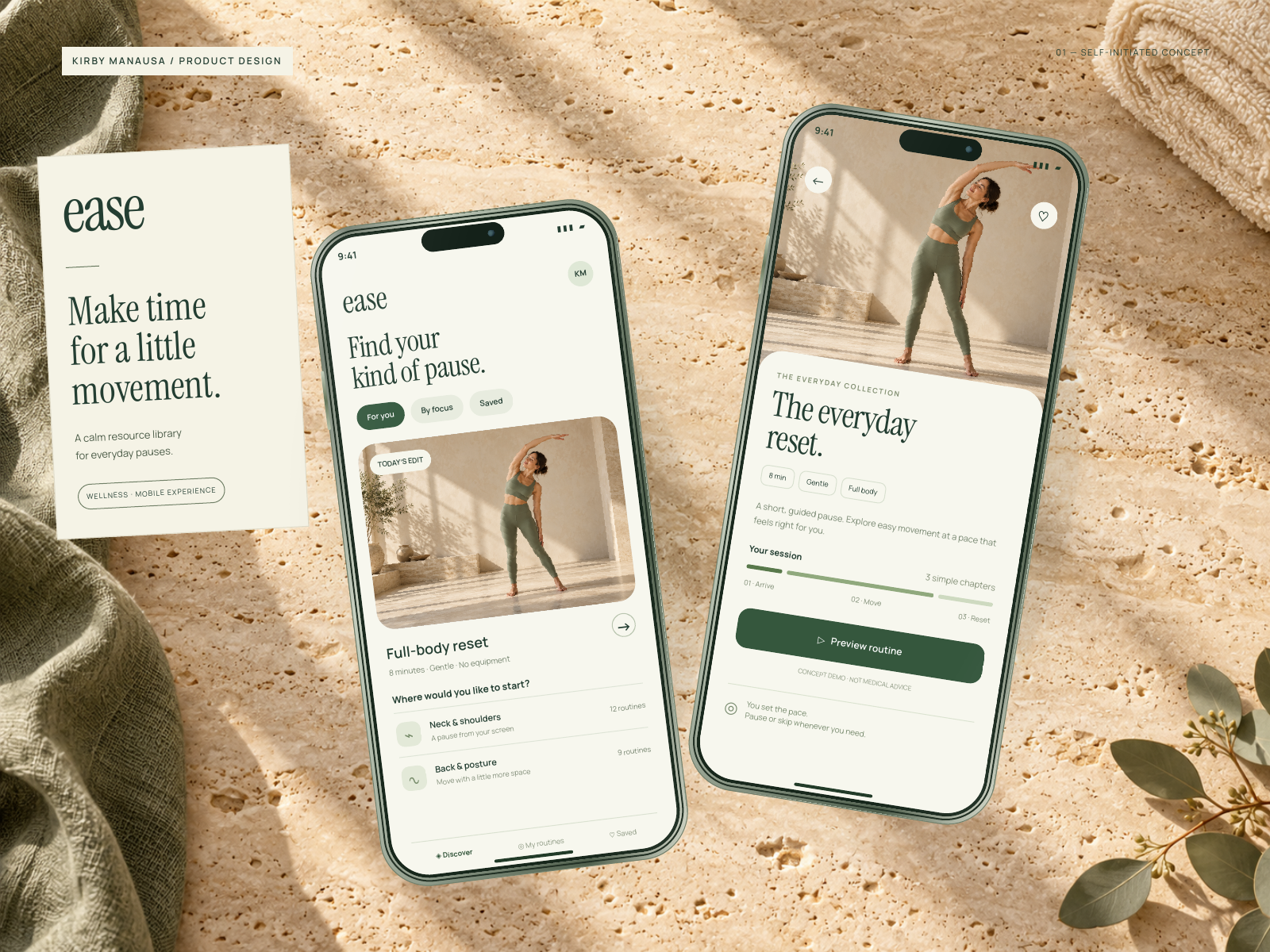
View full size ↗A calm mobile resource library that brings routine discovery and session details into focus.
The design question
Make a large movement library feel approachable, with a clear starting point instead of an overwhelming list.
The approach
A featured routine gives the screen a focal point. Short duration labels, simple categories and a focused routine-detail screen help explain the intended discovery flow.
Content hierarchy · Mobile discovery flow · Warm, natural visual direction
02 / LEARNING / TEAM DEVELOPMENT
Fieldnote
Make the next step clear.
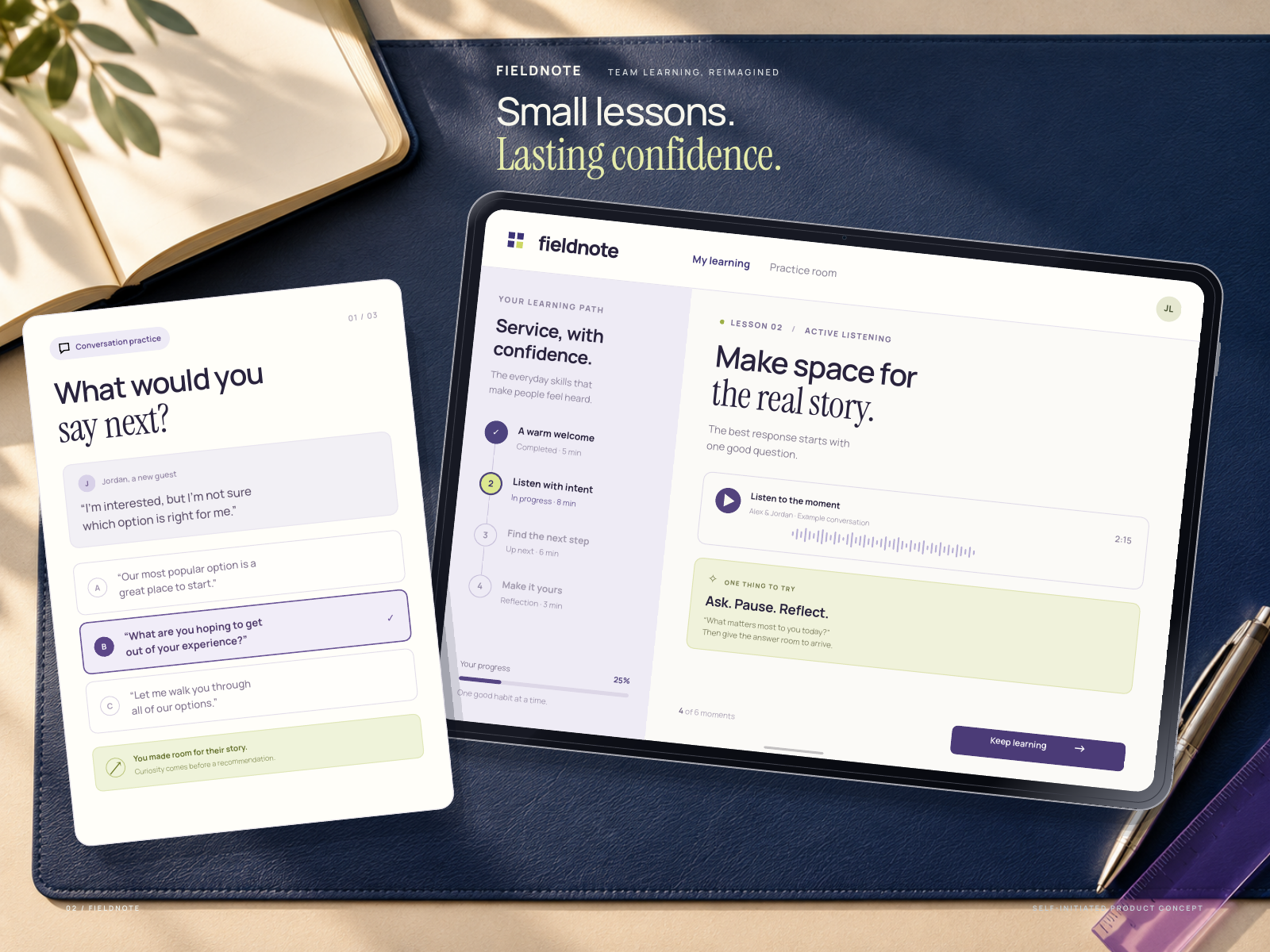
View full size ↗An editorial learning workspace pairing a clear course path with scenario-based practice.
The design question
Give a learner a clear answer to “What should I work on next?” while keeping the wider course library easy to browse.
The approach
A structured learning path establishes a clear next step. A scenario-practice card explores how a learner might apply the material, while indigo and notebook-inspired art direction give the screen a thoughtful setting.
Learning path · Scenario practice · Editorial card system
03 / OPERATIONS / QUALITY CONTROL
Northline
Every detail. Under control.
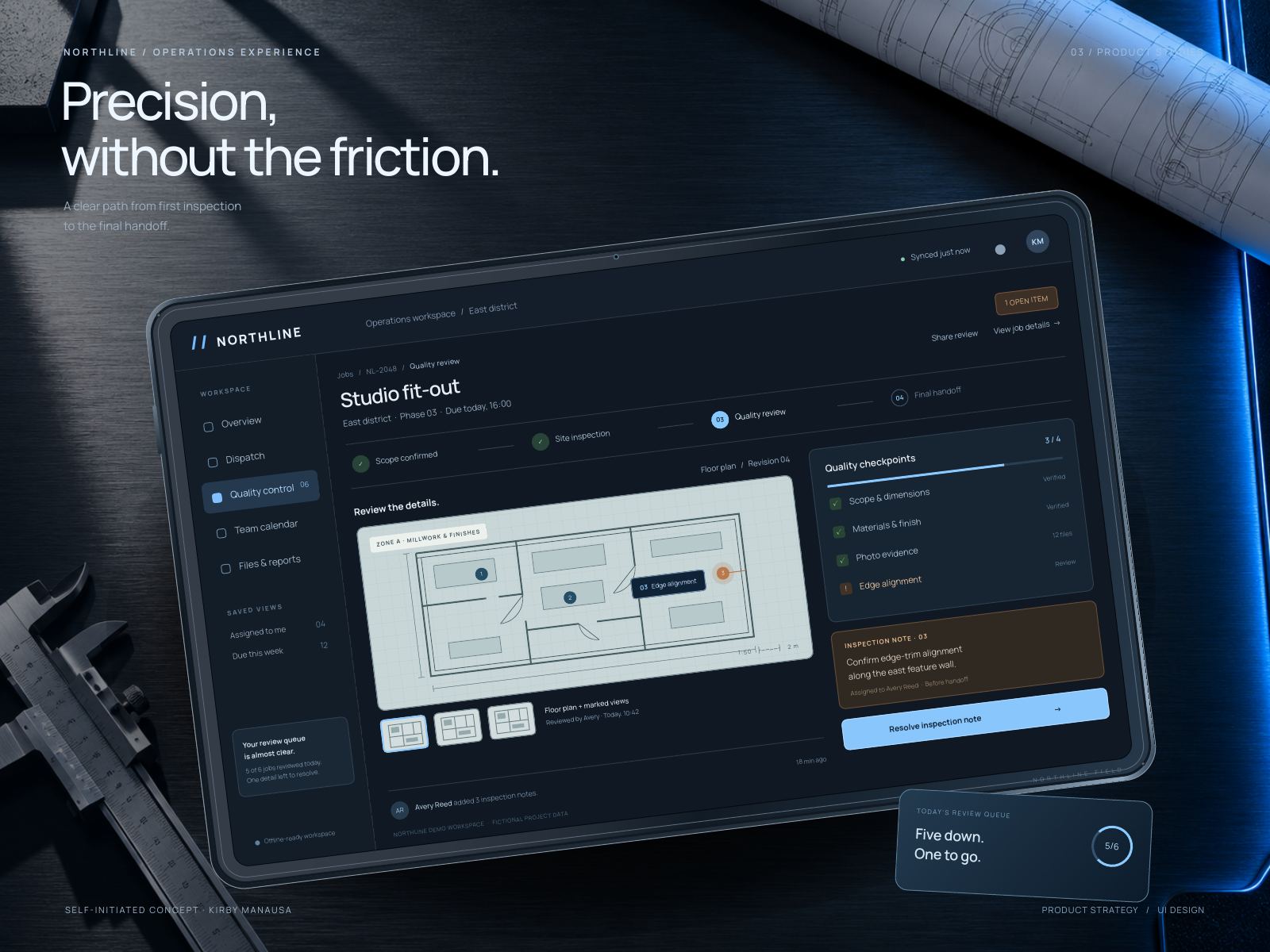
View full size ↗A focused inspection workspace that connects a marked plan, a review note and a quality-control checklist.
The design question
Connect an issue on a floor plan to the review note and checks needed before a job can be handed over.
The approach
A marked floor plan anchors the review context. An inspection note and a compact checklist keep the next decisions close to the work, with cool blue accents for actions and technical detail.
Dense information design · Plan annotation · Review workflow
04 / CREATIVE / CLIENT COLLABORATION
Lucent
Feedback with a clear focus.
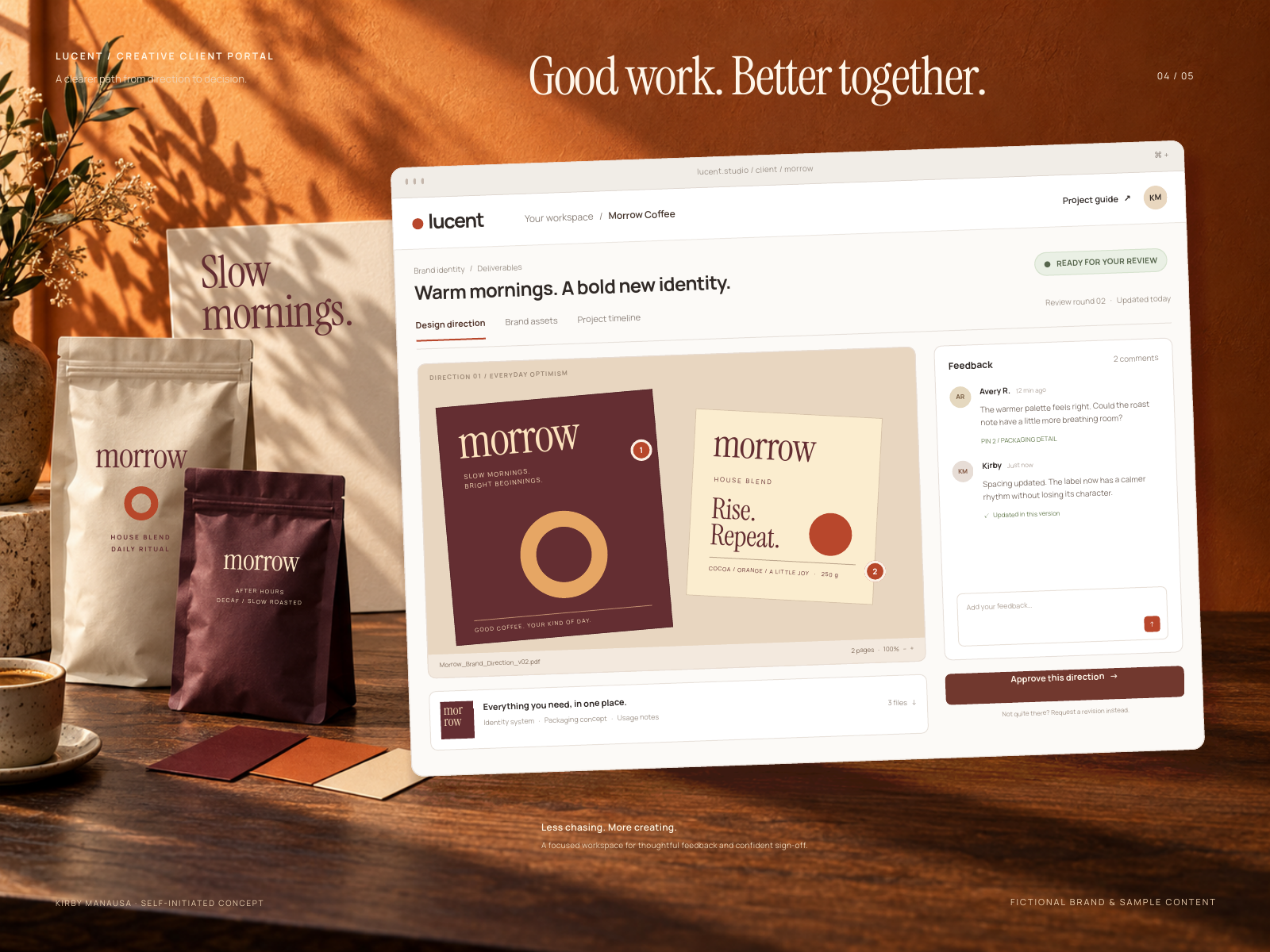
View full size ↗A warm creative-project portal that keeps deliverables, feedback and the next decision in view.
The design question
Help a client understand what is being reviewed, where feedback belongs and which milestone comes next.
The approach
A fictional coffee-brand project gives the interface a concrete context. Numbered feedback pins connect artwork details to the comment thread. The surrounding brand materials carry the same visual language into the presentation scene.
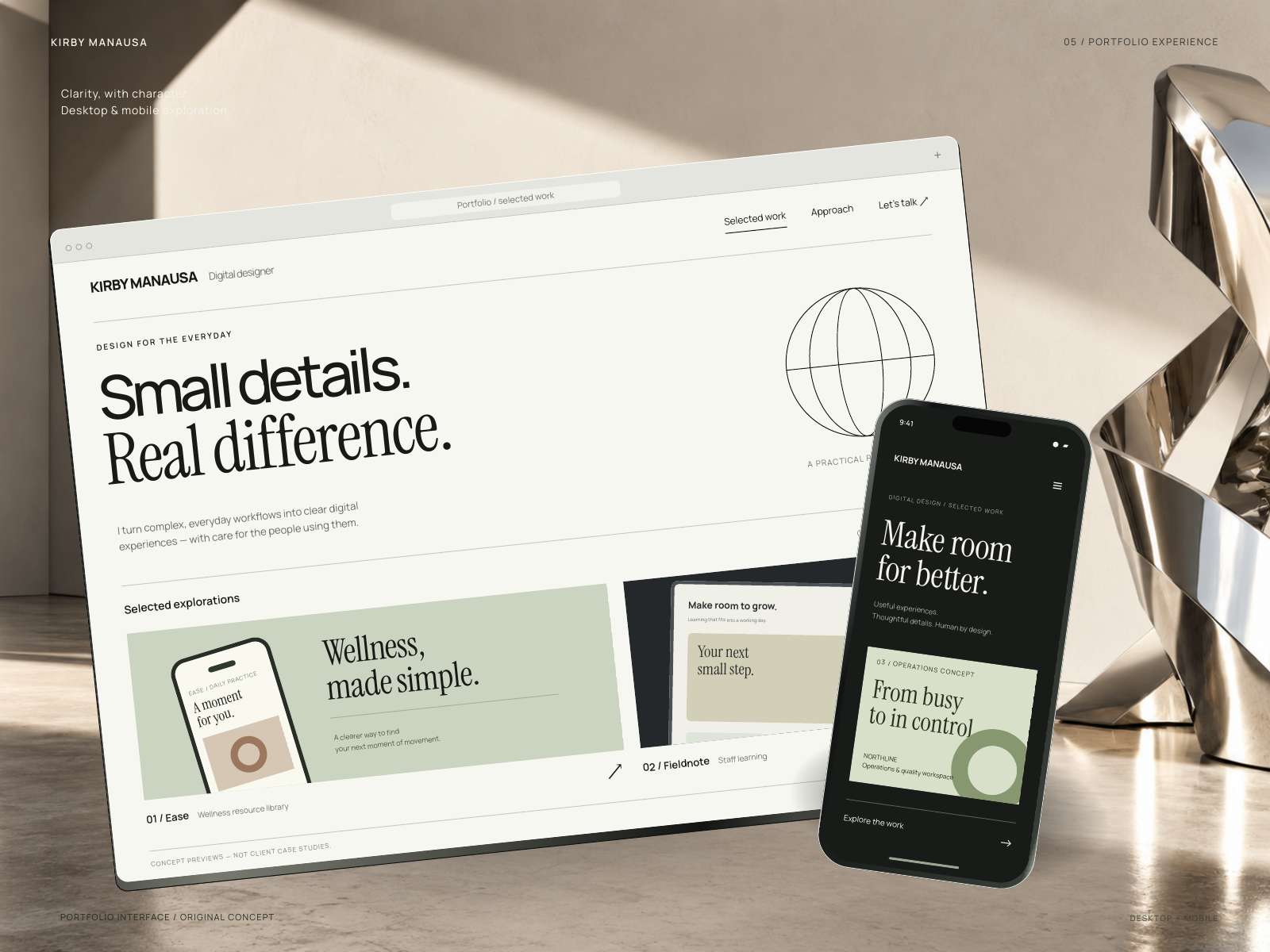
View full size ↗A bold editorial portfolio study pairing selected-project previews with a distinctive personal identity.
The design question
Make a creative portfolio memorable without letting the visual statement overwhelm the work itself.
The approach
Oversized typography, warm ivory and a dark mobile companion establish an editorial tone. Project previews supply a clear route from first impression to closer inspection.
Editorial web design · Project storytelling · Distinctive art direction
ABOUT THE EXPLORATION
More than a pretty screen. A design point of view.
Start with the task
Each study begins with an intended action: find a routine, resume a lesson, review a job, give useful feedback or explore a body of work. The interface hierarchy is designed around that action.
Give it a distinct world
Typography, color, spacing and the presentation scene are explored together, so each concept feels individual while the collection remains cohesive.
These are self-initiated design studies, not commissioned projects, working applications or claims of measured business results. Product names, clients, people and metrics are fictional. No private patient, employee or client records are shown.
The final collection uses editable HTML/CSS interface compositions and AI-assisted imagery. Earlier interface explorations were developed in Figma; the final showcase scenes are not presented as native Figma files. Showcase images are flattened presentation exports, not interactive prototypes. Ease is a visual design concept, not medical guidance.
HAVE A PROJECT IN MIND?
A useful idea. A distinctive experience.
Tell me about the audience, the goal and the experience you want to create.